
Playwright interview questions test more than API recall. A strong answer explains what Playwright does, where its guarantees stop, and how you would design evidence-rich automation that stays reliable in parallel and in CI.
This hub gives you 50 Playwright interview questions and answers for beginner, experienced, framework, API, debugging, scenario, and coding rounds. Each answer starts with a version you can say aloud, then adds the engineering signal an interviewer is likely evaluating. The TypeScript coding examples were type-checked and executed with @playwright/test 1.62.1 during this article’s validation.
How to use these Playwright interview questions
| Round | Questions | What to demonstrate |
|---|---|---|
| Beginner | 1–8 | Accurate mental model and a clean first test |
| Locators, waits, assertions | 9–17 | User-facing contracts and precise synchronization |
| Experienced engineer | 18–25 | Isolation, data ownership, fixtures, and maintainability |
| Framework and CI | 26–31 | Production structure, configuration, reports, and scale |
| API, auth, network | 32–37 | Cross-layer testing without security shortcuts |
| Debugging | 38–42 | Evidence-led diagnosis rather than sleeps and retries |
| Scenarios | 43–46 | Tradeoffs, risk, and verification |
| Coding | 47–50 | Runnable Playwright TypeScript patterns |
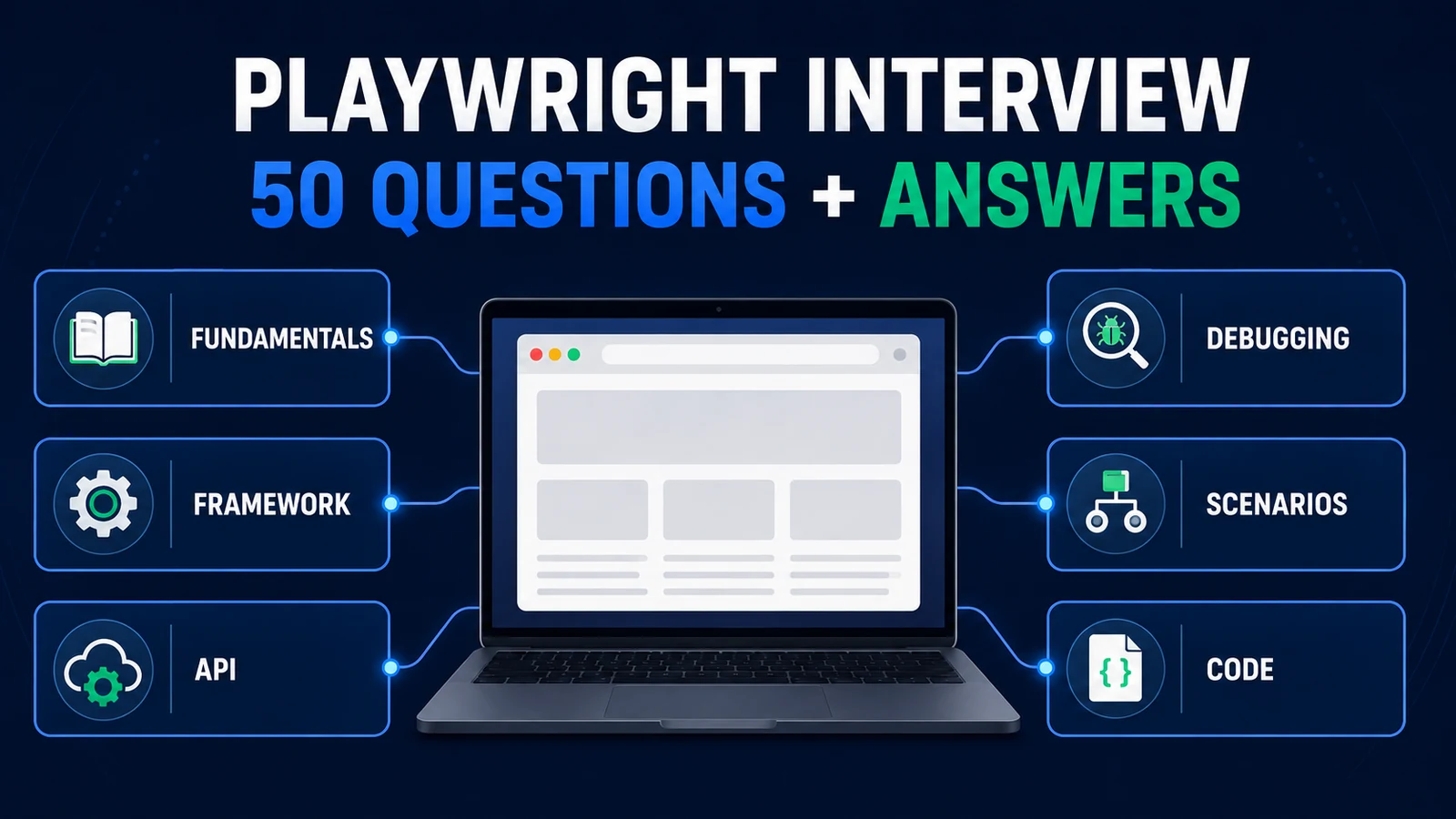
A strong Playwright interview answer connects feature knowledge to framework judgment, evidence, and runnable code.
Do not memorize every sentence. Practice a 30-second answer, one concrete example, and one caveat. For scenario questions, structure your response as signal → evidence → fix → verification. That sequence shows how you think when the expected answer is not a single method name.
Beginner Playwright interview questions
1. What is Playwright?
Interview answer: Playwright is a browser automation library from Microsoft. In Node.js, Playwright Test adds a test runner, assertions, isolated fixtures, parallel execution, projects, reporters, and debugging tools. It automates Chromium, Firefox, and WebKit through one API and is commonly used for end-to-end, component, and API-assisted testing.
The useful distinction is library versus runner. Playwright can drive a browser, while Playwright Test owns the test lifecycle. A strong answer does not reduce it to “another Selenium.” The Playwright automation guide covers the wider platform.
2. Which languages does Playwright support?
Interview answer: Official Playwright bindings exist for JavaScript/TypeScript, Python, Java, and .NET. The browser automation capabilities are broadly shared, but test-runner integration differs: Node.js commonly uses Playwright Test, Java teams often use JUnit or TestNG, Python uses pytest, and .NET commonly uses NUnit, MSTest, or xUnit.
Avoid claiming that a language is universally “best.” Choose based on team ownership, ecosystem, application stack, and operational support. This article uses TypeScript because it can demonstrate the first-party Playwright Test experience.
3. Which browsers can Playwright automate?
Interview answer: Playwright automates Chromium, Firefox, and WebKit. It can also configure branded Chromium channels such as Chrome or Edge when that coverage is needed.
Engine coverage is not a command to run every scenario everywhere. Define projects that reflect the product’s browser support and risk. Keep a fast blocking set, then schedule broader profiles intentionally. WebKit is useful engine coverage, but it is not literally Safari running on every platform.
4. What is the difference between Playwright and Playwright Test?
Interview answer: The Playwright library exposes browser automation objects such as Browser, BrowserContext, Page, and APIRequestContext. Playwright Test is the Node.js test framework that supplies test, expect, fixtures, projects, retries, reporters, parallel workers, and artifact policies.
This distinction matters when comparing language bindings or integrating with an existing runner. The browser API is only one layer; reliable execution also requires lifecycle, isolation, reporting, configuration, and failure ownership.
5. What are Browser, BrowserContext, and Page?
Interview answer: Browser is the launched browser process connection. BrowserContext is an incognito-like isolated browser session with its own cookies and storage. Page is a tab or popup inside a context.
One browser can host multiple contexts, and one context can host multiple pages. In Playwright Test, the built-in page fixture belongs to a fresh context for each test. That gives fast browser-state isolation without relaunching a complete browser for every test.
6. How does Playwright isolate tests?
Interview answer: Playwright Test creates a new BrowserContext for every test, so cookies, local storage, session storage, and page history do not leak between tests. The default Page comes from that context.
The caveat separates a strong answer from a slogan: browser isolation does not isolate server-side accounts, database rows, queues, files, feature flags, or tenants. Parallel tests still need unique data or a safe resource-leasing strategy.
7. Why do Playwright tests use async and await?
Interview answer: Browser operations are asynchronous. Navigation, actions, network events, and assertions return promises, so await makes the test wait for the intended operation and propagate failures correctly.
Forgetting await can let the test continue or finish before an action or assertion resolves. Enable TypeScript and lint rules that catch floating promises; do not rely only on visual review.
8. What does a basic Playwright test look like?
Interview answer: Import test and expect, navigate with the Page fixture, interact through a user-facing locator, and assert the observable outcome with an awaited web-first assertion.
import { test, expect } from '@playwright/test';

test('user opens account settings', async ({ page }) => {
  await page.goto('/account');
  await page.getByRole('link', { name: 'Settings' }).click();
  await expect(page.getByRole('heading', { name: 'Account settings' }))
    .toBeVisible();
});
A good first test is small and checks behavior, not implementation details. See the Playwright tutorial for setup and execution from the beginning.
Playwright locator, waiting, and assertion questions
9. Which locator strategy should you prefer?
Interview answer: Prefer locators that describe the interface a user receives: role plus accessible name for controls, label for form inputs, and visible text for content. Use a documented test-id contract when the user-facing surface is not unique or stable.
CSS and XPath are valid escape hatches, not the default. DOM-shape selectors such as div:nth-child(3) couple the test to layout instead of behavior. The Playwright locators guide goes deeper on chaining and maintainability.
10. What is locator strictness?
Interview answer: Operations that require one element fail when a locator matches multiple elements. Strictness turns ambiguity into useful feedback: refine the locator by role, accessible name, parent region, or filter.
Do not reach for first(), last(), or nth() just to silence the error. Positional selection is appropriate only when position is the actual product contract. Otherwise a future layout change may make the test act on the wrong item while still passing.
11. How does Playwright auto-waiting work?
Interview answer: Before an action, Playwright waits for the action’s required checks. A click, for example, needs a unique element that is visible, stable, receives events, and is enabled. If the checks do not pass before the timeout, the action fails.
Auto-waiting is action-specific, not universal business readiness. It cannot know that a background job completed, a record reached “approved,” or a third-party callback arrived. Wait for those observable conditions explicitly.
12. Do you ever need explicit waits in Playwright?
Interview answer: Yes—explicit conditions, not arbitrary time. Use locator assertions, URL assertions, event waits, response waits, or bounded polling for a real asynchronous business state. Avoid waitForTimeout() in normal tests because elapsed time is not evidence that the product is ready.
For a fast event such as a popup, download, or response, start the wait before the action that triggers it. That ordering prevents a race.
13. What are web-first assertions?
Interview answer: Playwright’s asynchronous locator assertions, such as toBeVisible() and toHaveText(), re-resolve and re-check the locator until the expectation passes or times out.
Generic value assertions such as expect(value).toBe(...) run immediately. For an eventually consistent API state, use expect.poll() or toPass() deliberately. Never simulate retries with an unbounded loop.
14. What is the difference between action, navigation, assertion, and test timeouts?
Interview answer: They protect different boundaries. Action timeouts limit interactions, navigation timeouts limit navigations, assertion timeouts limit web-first expectations, and the test timeout limits the full test including fixture work.
Configure a sensible baseline, then override the narrow operation only when the product contract justifies it. Raising every timeout often makes failures slower without fixing synchronization.
15. How do you work with iframes?
Interview answer: Use frameLocator() to enter the iframe boundary, then continue with normal locators inside it. For example, locate the payment frame and then the “Pay” button by role.
Keep the frame boundary explicit because it affects debugging and ownership. If a third-party frame is unstable, separate what your application controls from what the provider controls and decide whether a contract stub belongs in lower environments.
16. How do you handle a popup or new tab?
Interview answer: Start waiting for the page event before clicking, then use the returned Page:
const popupPromise = page.waitForEvent('popup');
await page.getByRole('link', { name: 'Open invoice' }).click();
const popup = await popupPromise;
await expect(popup).toHaveURL(/invoice/);
The same principle applies to downloads and many network events: arm the observer first, trigger the action second, then assert the outcome.
17. Does Playwright support Shadow DOM?
Interview answer: Playwright locators pierce open shadow roots by default, so normal role, text, and CSS locators can usually target elements inside them. XPath does not pierce shadow roots, and closed shadow roots are not inspectable through the same mechanism.
Prefer accessible locators even inside a component. If a custom element has no usable accessible contract, that may be an application accessibility issue—not merely a testing inconvenience.
Experienced Playwright interview questions
18. What causes flaky Playwright tests?
Interview answer: Common causes are ambiguous locators, shared mutable data, a missed event race, an incorrect readiness condition, uncontrolled external dependencies, resource pressure, and assertions against unstable details. The first step is to classify the failed boundary from evidence, not add a sleep.
Use the trace, action log, DOM snapshot, request/response data, console output, project name, worker index, and test-owned resource IDs. Fix the causal contract, then reproduce under the original timing and concurrency.
19. How does Playwright run tests in parallel?
Interview answer: Playwright Test runs test files in parallel by default using independent worker processes. Tests inside one file run in order unless parallel mode is enabled. Each test still receives an isolated BrowserContext.
Workers do not magically isolate a backend. Use unique emails, orders, tenants, ports, downloads, and other resources. Include the project and worker identity in generated keys when appropriate, and avoid tests that depend on execution order.
20. How should retries be used?
Interview answer: Retries help classify intermittent outcomes and capture evidence. They are disabled by default; when configured, Playwright reports tests as passed, flaky, or failed. A retry should not erase the importance of the first failure.
Use a small CI retry policy if it improves diagnosis, retain traces on the first retry, and track flaky results separately. Never keep increasing retries until the dashboard looks green.
21. What are Playwright projects?
Interview answer: Projects are named configurations that run tests with different browsers, devices, environments, permissions, locale, or authentication state. They can also depend on setup projects.
Projects make a coverage matrix explicit, but every additional combination costs runtime. Select combinations from support commitments and risk; do not create a Cartesian product that the team cannot maintain or interpret.
22. How do you manage test data for parallel tests?
Interview answer: Give each test or worker clear ownership of unique resources, create only the preconditions it needs, and guarantee cleanup in fixture teardown or a finally block. Use APIs or controlled seed utilities when setup itself is not the user behavior under test.
A fixed shared account is safe only when tests cannot mutate its server-side state. BrowserContext isolation cannot prevent two workers from editing the same cart, profile, or database row.
23. When would you use a page object model?
Interview answer: Use a page or component object when a cohesive UI surface has repeated locators and behaviors that benefit from one owner. Keep its API task-oriented, such as cart.addProduct(), rather than exposing every click.
Avoid a giant base page, inheritance tree, or assertions hidden so deeply that the business contract disappears. Page objects reduce duplication; they do not replace readable tests. The Playwright framework guide shows the broader structure.
24. What are fixtures in Playwright?
Interview answer: Fixtures provide typed setup, dependency injection, and teardown around a test. Playwright includes fixtures such as page, context, browser, and request, and teams can extend test with domain resources.
A fixture should own a lifecycle, not become a hidden bag of unrelated helpers. Put teardown next to creation so it still runs when the test body fails.
25. What is the difference between test-scoped and worker-scoped fixtures?
Interview answer: A test-scoped fixture is created for each test and is the safest default for mutable data. A worker-scoped fixture is created once per worker process and can reduce the cost of an expensive resource that is safe to share within that worker.
Scope follows ownership. A shared service container might be worker-scoped; a customer cart that a test modifies should usually be test-scoped. Optimize only after you can prove the broader scope will not introduce coupling.
Playwright framework and CI interview questions
26. How would you structure a production Playwright framework?
Interview answer: Keep configuration at the root, business-readable specs under tests/, domain fixtures under fixtures/, cohesive page/components under pages/, narrow API clients under api/, and generated artifacts outside source folders. Add utilities only when they have one clear responsibility.
The structure should make ownership obvious, not showcase abstraction. Start with a small vertical slice, then extract repetition after its lifecycle is understood.
27. How do you manage environments and secrets?
Interview answer: Map environment names to non-secret URLs and configuration, validate required variables at startup, and inject secrets from the CI or secret manager. Fail closed when an environment is unknown.
Never commit passwords, storage-state files, API tokens, or copied production data. Add a production-write guard for tests that create or delete records, and keep environment selection visible in the report.
28. How do setup projects differ from global setup?
Interview answer: A setup project is a Playwright project whose tests prepare state and can produce normal reports, traces, fixtures, and dependencies. Dependent projects run afterward. Global setup is a one-time hook outside that normal project/test model.
Setup projects are often preferable for reusable authentication because their failures are visible as tests. Choose the smallest lifecycle that matches the resource; do not put all suite state into one opaque global script.
29. Which reporters and artifacts would you configure?
Interview answer: Use a fast console reporter plus a machine- or human-readable CI artifact such as HTML, blob, JUnit, or JSON based on the pipeline. Capture traces, screenshots, and video selectively on failure or retry.
Artifacts should identify the failed layer without exposing secrets or retaining unnecessary customer data. Attach small redacted domain facts and correlation IDs rather than complete headers, cookies, or database rows.
30. What should a Playwright CI pipeline do?
Interview answer: Install pinned dependencies and browser binaries, type-check, start or provision the target application, run an intentional project matrix, preserve reports and failure artifacts even when tests fail, and surface flaky results separately.
Cache package data carefully, but do not assume browser binaries can be reused safely across every Playwright version. Pin the runtime, control worker count for the agent’s capacity, and make the environment and commit identifiable.
31. How do you scale a large Playwright suite?
Interview answer: First reduce unnecessary UI coverage and fix data ownership. Then parallelize, shard across CI jobs, merge blob reports, and separate blocking smoke coverage from wider scheduled runs. Tag by risk or capability, not arbitrary team labels alone.
Measure feedback time, first-attempt failure rate, retry rate, browser-specific defects, quarantine age, and escaped defects. Test count by itself is not a quality metric.
Playwright API, authentication, and network questions
32. What is APIRequestContext?
Interview answer: APIRequestContext is Playwright’s HTTP client. The built-in request fixture can call APIs for API-only tests, test-state setup, server-side postcondition checks, and cleanup.
It complements browser testing; it does not turn an API-only scenario into proof of a user journey. Check response status and business fields, and keep credentials scoped to a test environment. See the Playwright API testing guide for complete patterns.
33. When should you combine UI and API testing?
Interview answer: Use the UI for behavior the user must be able to perform. Use a controlled API for prerequisites, backend postcondition validation, and cleanup when those operations are not the subject of the test.
For checkout, an API can create a unique cart, the UI can place the order, an API can verify the persisted order, and fixture teardown can delete it. That keeps the Playwright E2E workflow realistic and diagnosable.
34. How do you reuse authenticated sessions?
Interview answer: Sign in during a setup project, save browser state, and configure dependent projects or tests with storageState. Keep dedicated tests for the login UI itself.
State files may contain cookies and headers that can impersonate the account. Generate them into an ignored directory, restrict access and retention, and refresh them deliberately. The authentication guide covers the full lifecycle.
35. How do you test multiple roles or users?
Interview answer: Use separate storage states and BrowserContexts for each identity. For a collaboration scenario, create two contexts in one test only when their interaction is the business contract; otherwise use separate role projects or fixtures.
Each role also needs server-side data ownership. Two contexts with different cookies can still collide if both modify the same shared record without an intentional workflow.
36. How do you intercept or mock network requests?
Interview answer: Use page.route() or browserContext.route() to inspect, fulfill, modify, or abort matching requests. Register the route before navigation or the action that issues the request.
Mocking is useful for deterministic frontend states and rare failures, but it proves the UI against the mock contract—not the real service. Maintain separate contract or integration coverage for the actual boundary.
37. What security concerns apply to Playwright tests?
Interview answer: Treat storage state, traces, videos, screenshots, downloads, request headers, logs, and test data as potentially sensitive. Use least-privilege test identities, injected secrets, safe non-production endpoints, redaction, restricted artifact access, and retention limits.
Do not paste credentials into code or AI tools, bypass production access controls, or create generic test cleanup endpoints that can delete arbitrary records. Automation speed does not justify a weaker security boundary.
Playwright debugging interview questions
38. How do you debug a failing Playwright test?
Interview answer: Reproduce the smallest failing test and project, then inspect the Playwright error, locator/action log, trace, DOM snapshot, network activity, console messages, and test-owned identifiers. Use UI mode, Inspector, or the VS Code extension when live stepping helps.
Form a boundary-specific hypothesis before editing the test. A failed locator, rejected API call, missing backend state, and browser-launch problem need different fixes.
39. What is Trace Viewer, and when would you use it?
Interview answer: Trace Viewer lets you inspect recorded actions with timing, DOM snapshots, network activity, console output, errors, and source context. It is especially useful for CI failures that are difficult to reproduce locally.
A common policy is trace: 'on-first-retry', which captures evidence without recording every successful test. Apply artifact access and retention controls because traces can contain page and network data.
40. A test passes locally but fails in CI. What do you check?
Interview answer: Compare the exact project, browser build, Node and dependency versions, base URL, environment variables, timezone/locale, worker count, CPU/memory pressure, network access, seed data, and artifact from the CI attempt.
Run locally with CI settings or reduce workers to test a resource-pressure theory. Do not label it “just timing” until the trace or logs show which condition was missing.
41. How do you investigate a browser-specific failure?
Interview answer: Run the same smallest test only in the failing project, inspect the trace and console/network evidence, and determine whether the issue is product behavior, an unsupported browser feature, CSS/layout, timing, browser configuration, or host launch dependencies.
Do not weaken the assertion for one engine without confirming a legitimate product difference. Link a real defect or document an intentional support boundary.
42. A locator sometimes matches two elements. How do you fix it?
Interview answer: Inspect both matches in the trace or DOM, then refine the contract with a containing region, row/card filter, role and accessible name, or a unique test ID. Determine whether the duplicate is a real UI defect, such as a hidden modal left mounted.
Using first() hides ambiguity and may click the wrong control after a layout change. The fix should make intent explicit.
Scenario-based Playwright interview questions
43. The UI shows “Success,” but the record is missing in the backend. What do you do?
Interview answer: Treat the visible message and persisted record as separate contracts. Capture the request and returned identifier, assert the UI displays that identifier, then query a supported API for the stored state. If persistence is intentionally asynchronous, poll the specific state with a bounded timeout.
Do not add a sleep or accept the toast as proof. File the defect with correlation evidence, then keep a cross-layer test for this critical transaction.
44. A third-party payment sandbox is unstable. How would you test checkout?
Interview answer: Separate responsibilities. Test the application UI against a controlled payment contract for most pull requests, verify your service-to-provider contract independently, and run a smaller real-sandbox journey at an appropriate cadence. Preserve at least one genuine end-to-end signal.
Model provider declines, timeouts, and callbacks explicitly. Do not retry charges blindly or put real customer/payment secrets in traces.
45. The Playwright suite takes 90 minutes. How would you reduce it?
Interview answer: Profile first: slow tests, repeated UI setup, duplicate browser matrices, serial files, retries, fixture cost, and environment bottlenecks. Move combinations to unit/API/contract layers, seed prerequisites through safe APIs, parallelize independent tests, and shard only after data ownership is sound.
Keep risk-based blocking coverage and measure whether changes preserve defect detection. A faster suite that no longer proves release-critical behavior is not an improvement.
46. Tests pass alone but fail in parallel. What is your approach?
Interview answer: Suspect shared state before adding waits. Record the project, worker index, account, tenant, row IDs, filenames, ports, and cleanup results. Run the failing pair together and look for collisions or teardown deleting another test’s data.
Generate or lease unique resources, move mutable data to test-scoped fixtures, make cleanup idempotent where appropriate, and re-run under the original worker count to verify the fix.
Playwright coding interview questions
47. Write a resilient locator for a button inside a specific table row.
Interview answer: Locate the row by its user-visible content, then locate the button within that row. This preserves the relationship without depending on DOM position.
const proRow = page.getByRole('row').filter({ hasText: 'Pro' });

await expect(proRow.getByText('$30')).toBeVisible();
await proRow.getByRole('button', { name: 'Choose Pro' }).click();
In a follow-up, explain how you would narrow the filter if multiple rows contain “Pro.” The answer should preserve strictness, not suppress it with nth().
48. How do you wait for a response caused by a click?
Interview answer: Start the response wait before the click and coordinate both promises. Match enough of the request contract to avoid catching an unrelated response.
const [response] = await Promise.all([
  page.waitForResponse(candidate =>
    candidate.url().endsWith('/api/orders') &&
    candidate.request().method() === 'POST',
  ),
  page.getByRole('button', { name: 'Choose Pro' }).click(),
]);

expect(response.status()).toBe(201);
If the test also cares about the UI outcome, assert it separately with a locator expectation. A 201 response alone does not prove that the user saw the correct result.
49. Write a fixture that creates and cleans up test data.
Interview answer: Let a test-scoped fixture own the full resource lifecycle. Create before use(), expose only what the test needs, and delete inside finally so cleanup still runs after a failed assertion.
import { test as base, expect } from '@playwright/test';

type Resources = { cartId: string; orderId?: string };

export const test = base.extend<{ resources: Resources }>({
  resources: async ({ request }, use) => {
    const created = await request.post('/api/carts', {
      data: { plan: 'Pro' },
    });
    await expect(created).toBeOK();
    const resources: Resources = { cartId: (await created.json()).id };

    try {
      await use(resources);
    } finally {
      if (resources.orderId) {
        const order = await request.delete(
          `/api/orders/${resources.orderId}`,
        );
        expect(order.status()).toBe(204);
      }
      const cart = await request.delete(
        `/api/carts/${resources.cartId}`,
      );
      expect(cart.status()).toBe(204);
    }
  },
});
A mature answer also addresses environment guards, unique data, cleanup authorization, and what should happen when deletion itself fails.
50. Write a test that verifies both UI and backend state.
Interview answer: Perform the user action in the browser, capture the created resource ID from the response, assert the visible result, then fetch the stored record through request. Give teardown ownership the ID.
test('order is visible and persisted', async ({
  page, request, resources,
}) => {
  await page.goto(`/checkout?cart=${resources.cartId}`);
  await page.getByLabel('Work email').fill('candidate@example.test');

  const [response] = await Promise.all([
    page.waitForResponse(r =>
      r.url().endsWith('/api/orders') &&
      r.request().method() === 'POST',
    ),
    page.getByRole('row').filter({ hasText: 'Pro' })
      .getByRole('button', { name: 'Choose Pro' }).click(),
  ]);

  const order = await response.json();
  resources.orderId = order.id;
  await expect(page.getByTestId('order-status')).toHaveText('confirmed');

  const persisted = await request.get(`/api/orders/${order.id}`);
  await expect(persisted).toBeOK();
  expect(await persisted.json()).toMatchObject({
    status: 'confirmed',
    plan: 'Pro',
  });
});
This answer proves a transaction across UI and API boundaries without using the API to replace the behavior the user must perform.
Common Playwright interview answer mistakes
| Weak claim | Better answer |
|---|---|
| “Playwright never needs waits.” | Actions auto-wait; asynchronous product conditions still need explicit, observable waits. |
| “Every test is completely isolated.” | Browser state is isolated; shared backend resources require their own ownership. |
| “Retries fix flaky tests.” | Retries classify and capture evidence; the first-attempt cause still needs repair. |
| “XPath is bad.” | User-facing locators are usually more resilient; CSS/XPath remain narrow escape hatches. |
| “Run every test in every browser.” | Build a project matrix from browser support, risk, and feedback cost. |
| “Page objects make a framework maintainable.” | Clear ownership, fixtures, data isolation, configuration, and evidence matter as much as page abstractions. |
Use AI to run a safe mock Playwright interview
An AI assistant can vary follow-up questions and score the structure of your answers. Give it the role and topics, not private source code, credentials, cookies, customer data, or a secret-bearing trace.
Reusable Playwright mock-interview prompt
Act as a senior QA automation interviewer.

Target role: [junior / mid-level / senior / SDET]
Language: [TypeScript / Java / Python / .NET]
Focus: Playwright fundamentals, locators and waiting, fixtures,
framework design, API testing, authentication, debugging,
parallel execution, scenarios, and coding.

Rules:
- ask one question at a time;
- after my answer, ask one realistic follow-up before scoring;
- score accuracy, reasoning, tradeoffs, and communication from 1–5;
- correct unsupported absolutes and distinguish browser isolation
  from backend data isolation;
- require evidence-led debugging, not arbitrary sleeps or blind retries;
- never request credentials, cookies, production data, private repository
  content, or full traces that may contain secrets;
- do not invent product behavior or undocumented APIs.

After 12 questions, return:
1. strengths;
2. inaccurate or incomplete answers with corrections;
3. three scenarios to practise;
4. one coding exercise;
5. a seven-day revision plan.
Final Playwright interview preparation checklist
- Explain Browser, BrowserContext, Page, locator, fixture, project, and APIRequestContext without jargon.
- Write one test from memory using a role or label locator and a web-first assertion.
- Explain what auto-waiting covers—and what it cannot know.
- Show how a response, popup, or download wait is armed before its trigger.
- Design unique data and guaranteed cleanup for parallel workers.
- Walk through one real failure using signal, evidence, fix, and verification.
- Describe a framework as ownership and lifecycle, not only folders and page objects.
- Explain when API setup improves an E2E test without replacing its user journey.
- Discuss secrets and sensitive artifacts before proposing authentication reuse.
- Prepare an honest comparison using the Playwright vs Selenium guide.
The strongest interview answers are precise about boundaries. Playwright gives excellent locators, actionability checks, isolation, API access, parallel workers, projects, and traces; the automation engineer still owns the business oracle, test data, environment safety, and release signal.
If you are building hands-on depth after this review, continue with the installation guide, the Playwright TypeScript guide, or the production framework tutorial.